Property Rental Management
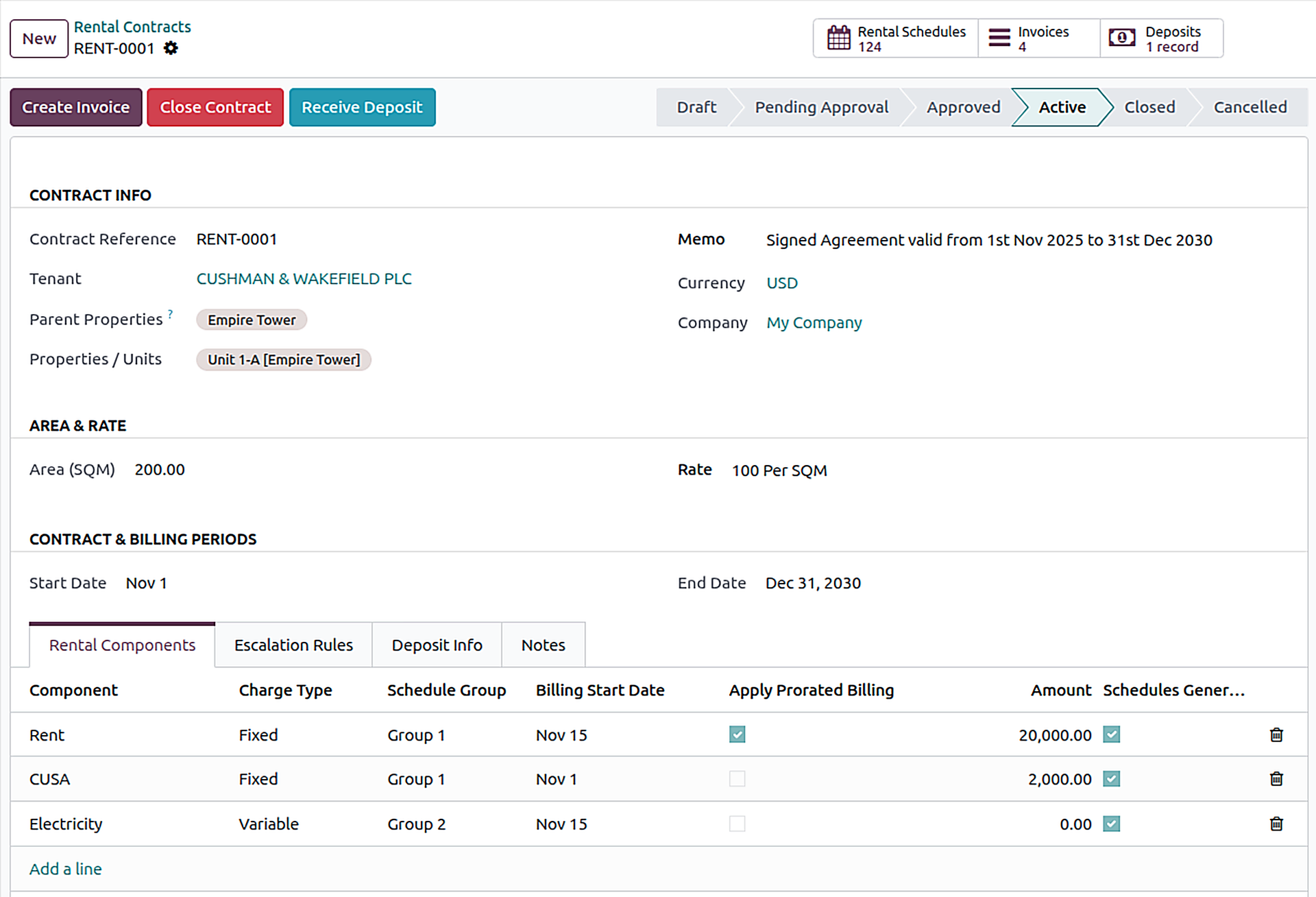
A complete leasing workspace inside Odoo: list properties, configure deposits and approvals, create rental contracts, generate rent schedules, raise invoices, and manage closures—without spreadsheets.
Built for leasing, finance, and management teams, it supports multi-property and multi-unit portfolios, works with Odoo Invoicing and Accounting, and handles multi-company and multi-currency scenarios out of the box.
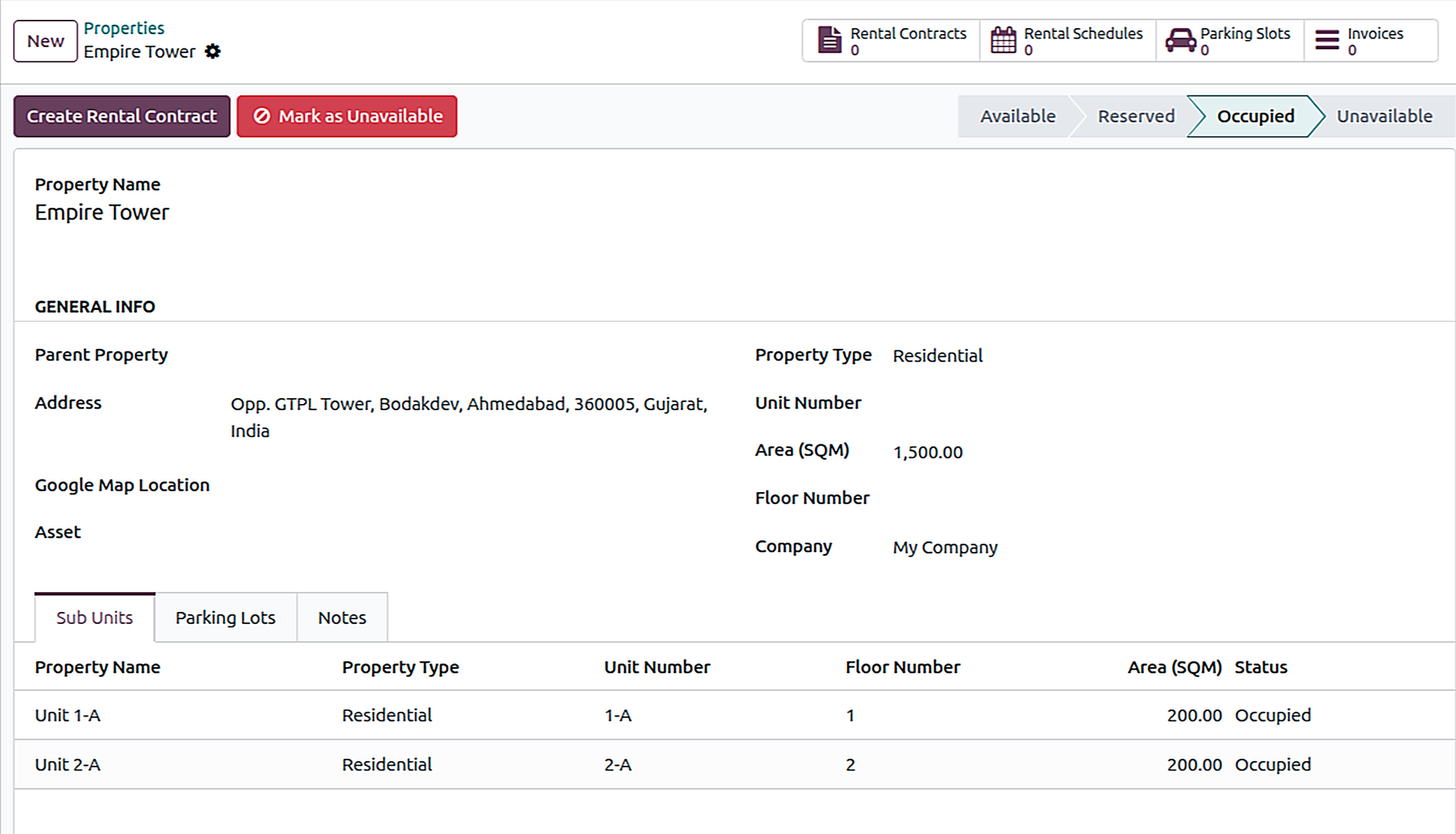
- Property & Unit Setup with Live Status: Manage properties, units, and parking with real-time status tracking (Available, Reserved, Occupied, Unavailable).
- Company-wise Rental Configuration: Configure deposit account, approvals for new contracts, and separate approvals for closures/cancellations.
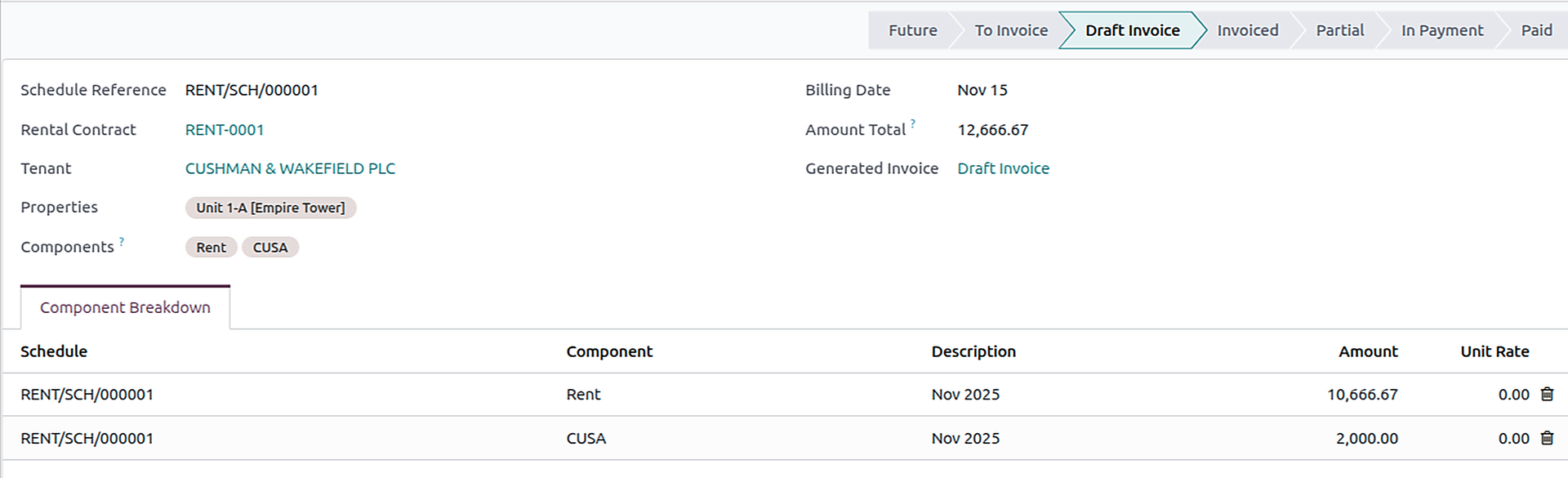
- Schedules & Billing: Create monthly rental schedules per contract; select billing day and schedule group.
- Escalation Rules: Apply from effective dates; later changes update only future, uninvoiced schedules.
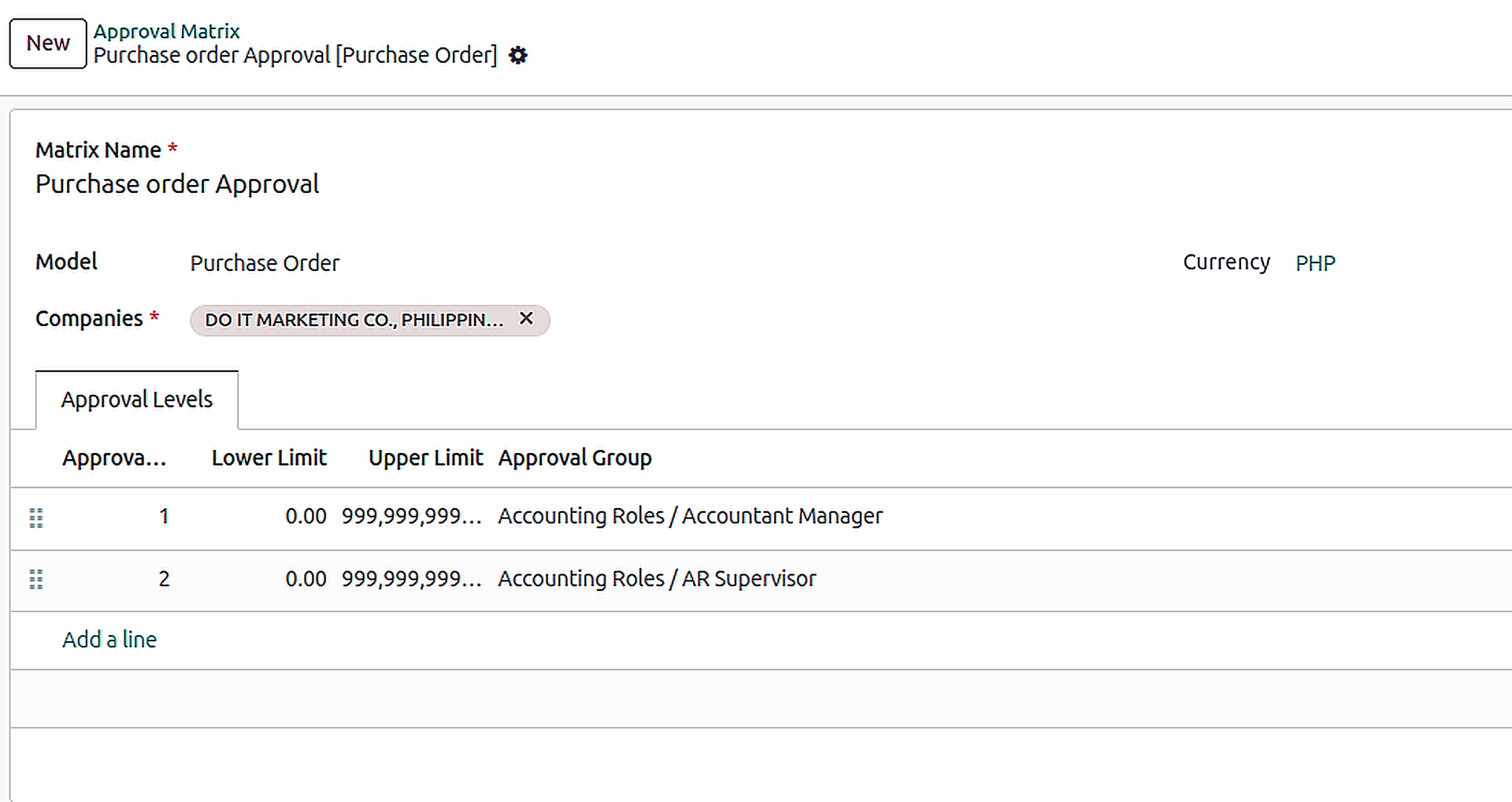
Multi Level Approval Matrix
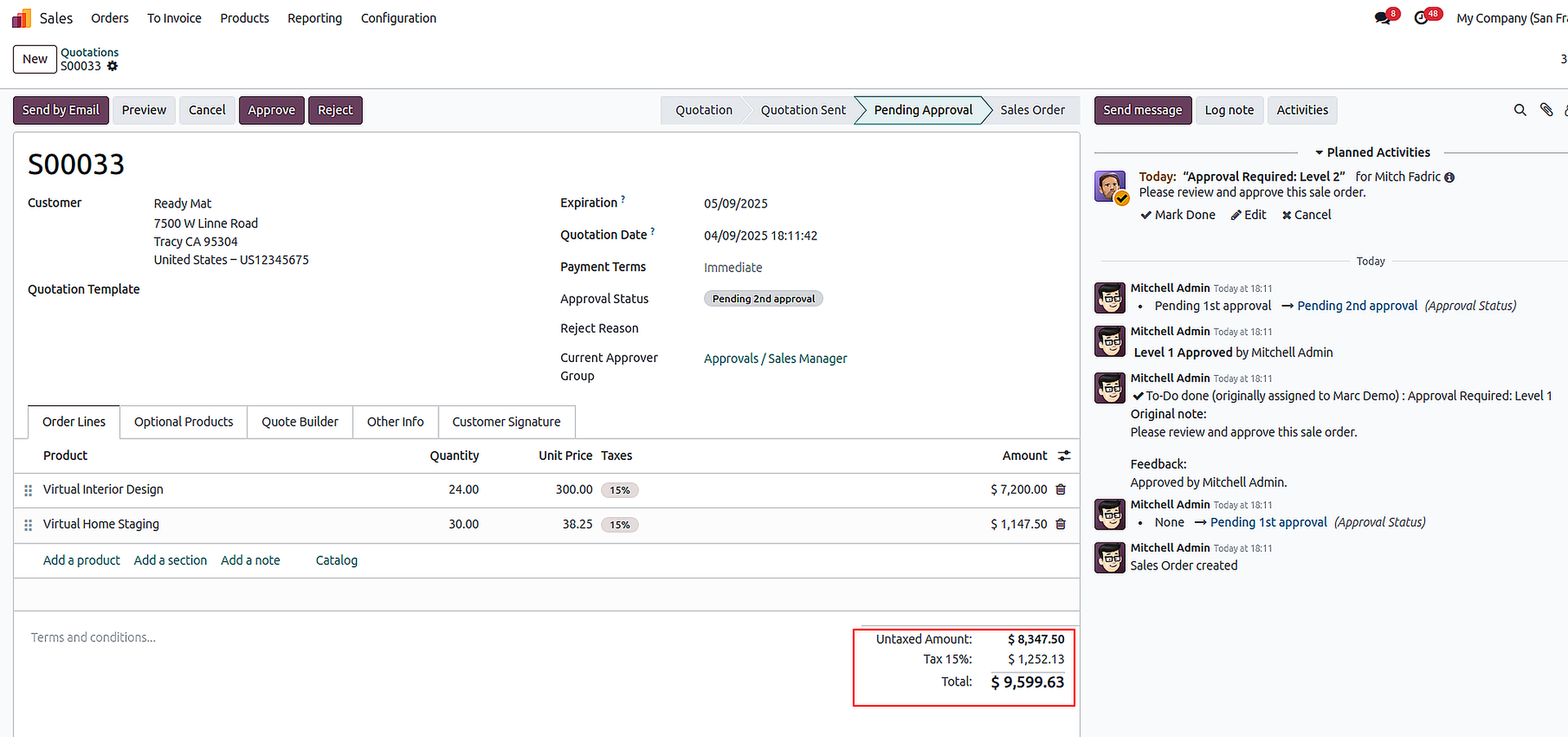
Setup approvals up to 5 levels per amount range ( Lower / Upper limit). Each level can be assigned to a User Group so the right people approve at the right time.
- Where you can use it: Sales Orders, Purchase Orders, Customer/Vendor Payments, Customer Invoices, Vendor Bills, Expense Reports.
- Amount-based routing: Automatically selects the right approval path using lower/upper thresholds.
- Up to 5 approval levels: Each level mapped to a responsible user group.
- Activities & notifications: Approver groups get activities instantly.
- Clean progression: One approval closes activities for the same level and moves to the next.
- Final approval: Confirms the transaction and completes the flow.
Approval Matrix
Advance Payment Application
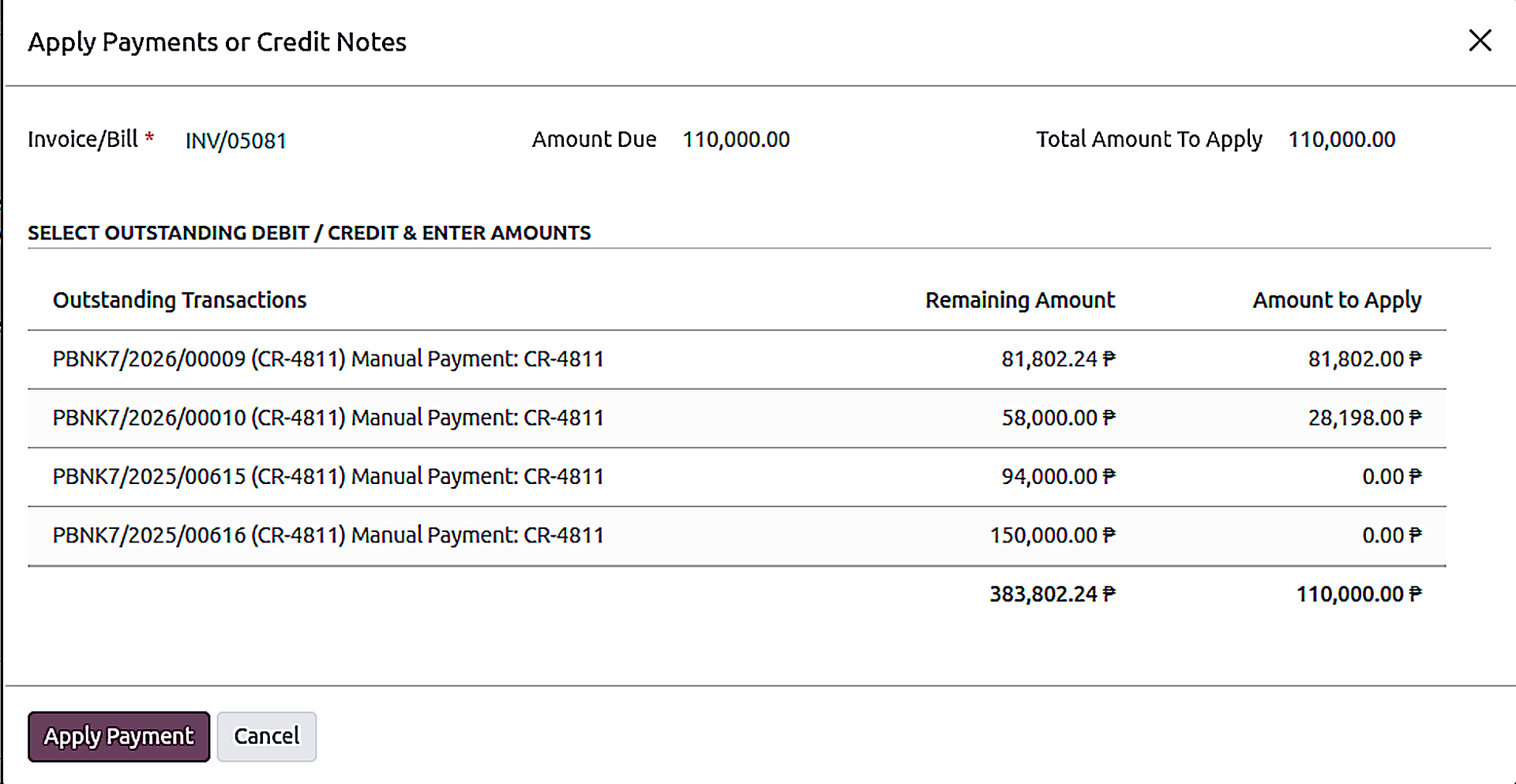
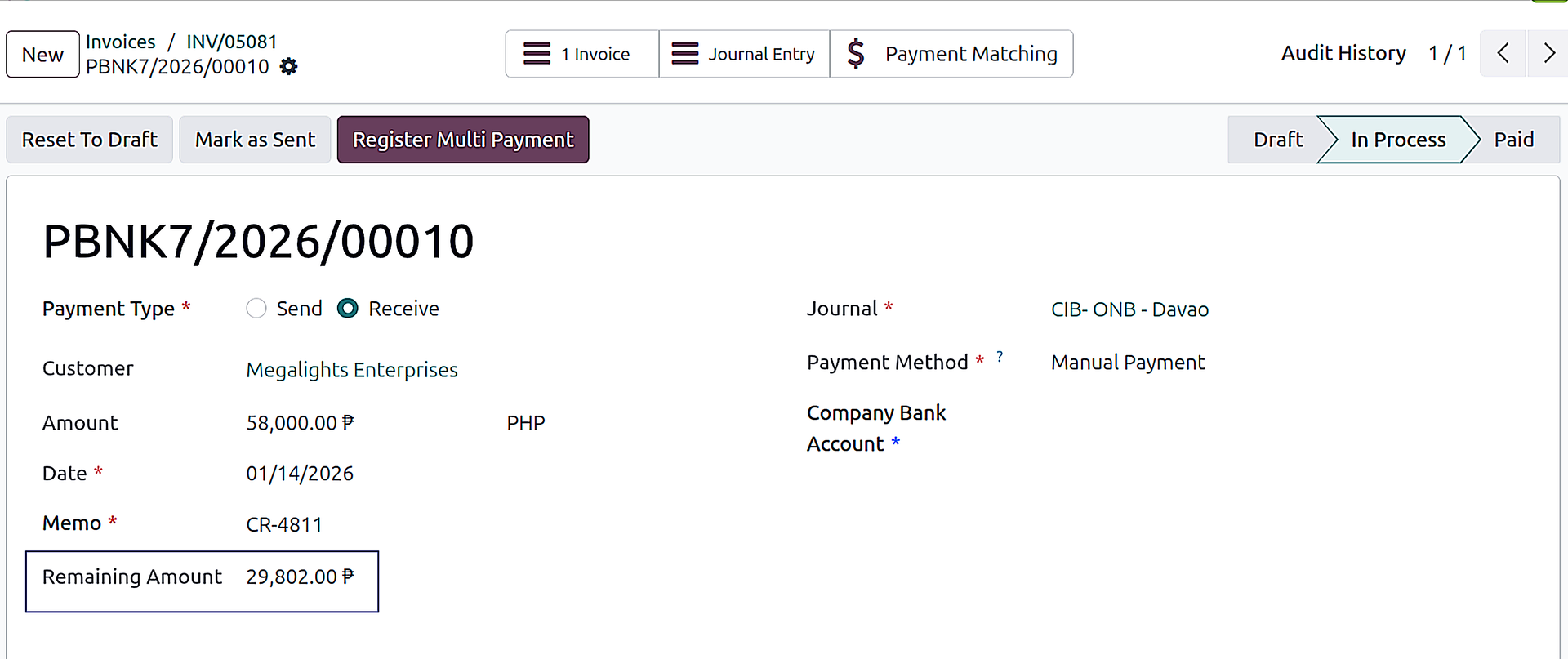
Apply customer or vendor advances across multiple invoices with clean allocation and balance visibility. Reduce reconciliation effort and avoid manual tracking.
- Apply advances: Allocate payments to one or multiple invoices.
- Partial application: Support partial allocations cleanly.
- Remaining balance: Clear visibility of unapplied advance balances.
- Works both sides: Customer and vendor payment workflows supported.
- Business impact: Less month-end confusion, fewer manual corrections, better AR/AP clarity.
Financials by Segments
Gain deeper insights with segmented financial reporting.
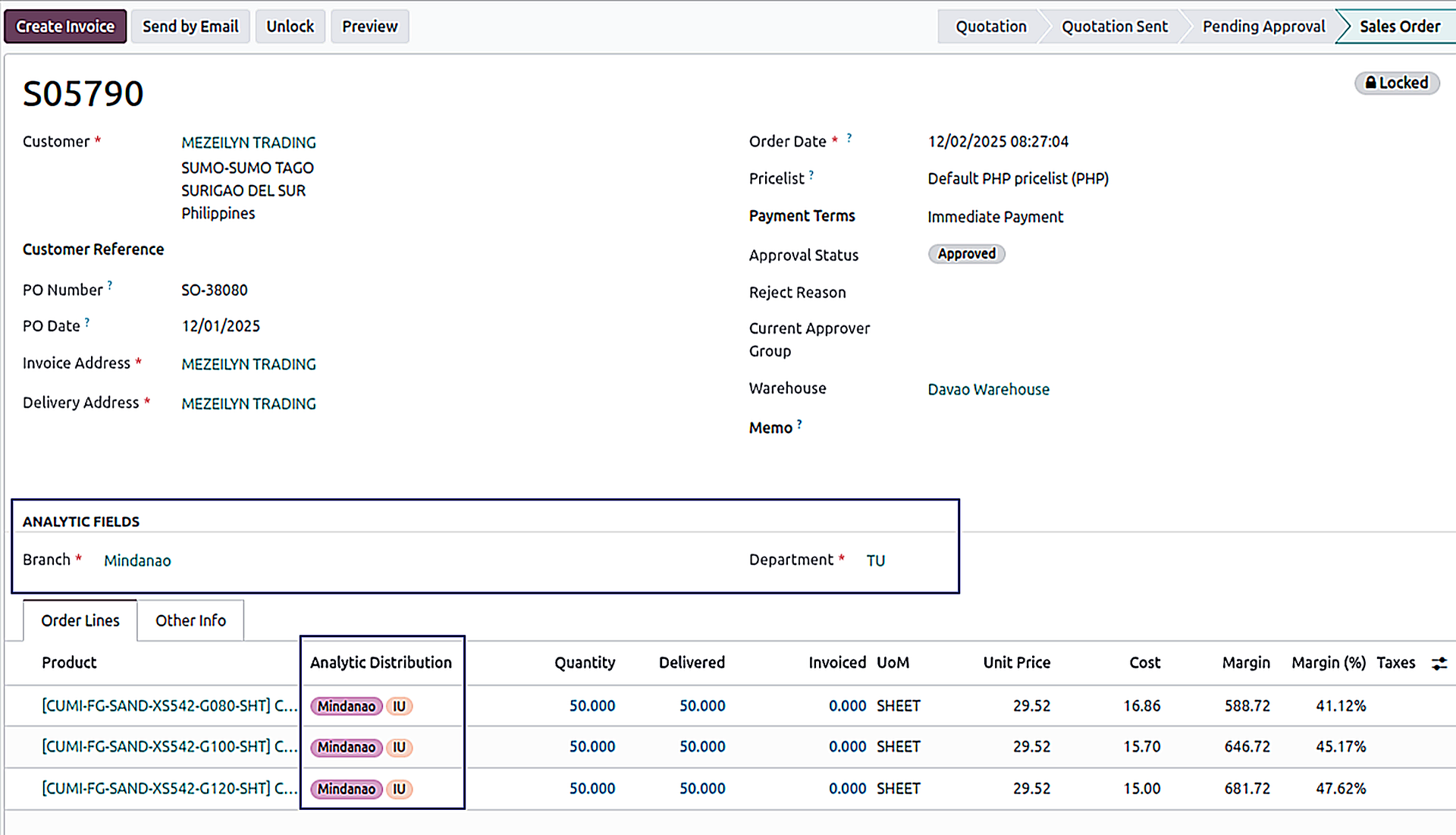
The Financials by Segments module allows you to track and analyze financial data by custom segments—such as departments, projects, regions, or business units—directly within Odoo.
- Header-to-line propagation: Auto setup of analytical accounts from header to all lines.
- Auto fetch on subsequent transactions: Including journal entries for consistent tagging.
- Segment-wise profit & loss: Reports by division/project/region with clear drill-down.
- Custom segments: Departments, projects, regions, business units—your structure, your way.
- Best for: Division-wise profitability, project and cost center tracking, regional performance reporting.
Financials by Segments
Shipment Planning
Plan deliveries separately from Sales Orders using a dedicated Shipment Planning workspace. For Pickup, the normal Sales Order delivery flow works. For Delivered, the system stops auto-delivery creation and routes fulfillment through planned shipments.
- Delivery Type Control: Pickup = normal Odoo flow, Delivered = no auto-delivery on SO confirmation (shipment planning required).
- Shipment Plan Setup: Create a plan with From/To Date, Zone, Areas, Company, Vehicle (auto Type/Capacity), Driver, Assistants, Planner, and Source Location.
- Line Planning + Item-wise Location: Add Lines pulls eligible SO lines by those filters (grouped by SO); enter Qty Planned → shipment lines created + item-wise combined lines (same product/UoM) where source location can be changed.
- Fulfill + Invoice: Planner confirms → deliveries created per selected locations and linked to SOs (status Fulfilled); Create Invoices generates invoices for delivered lines (status Invoiced).
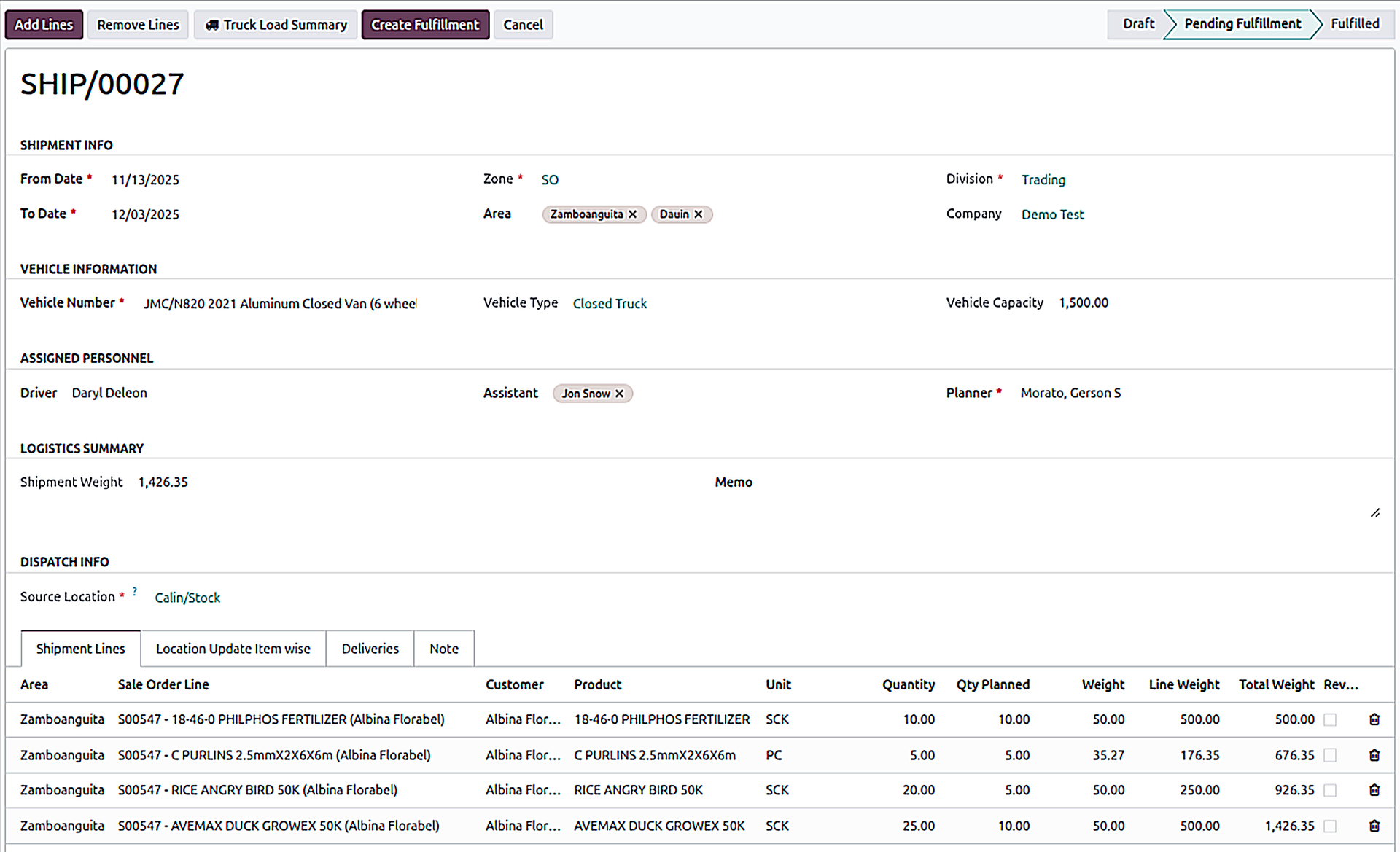
Shipment Planning form
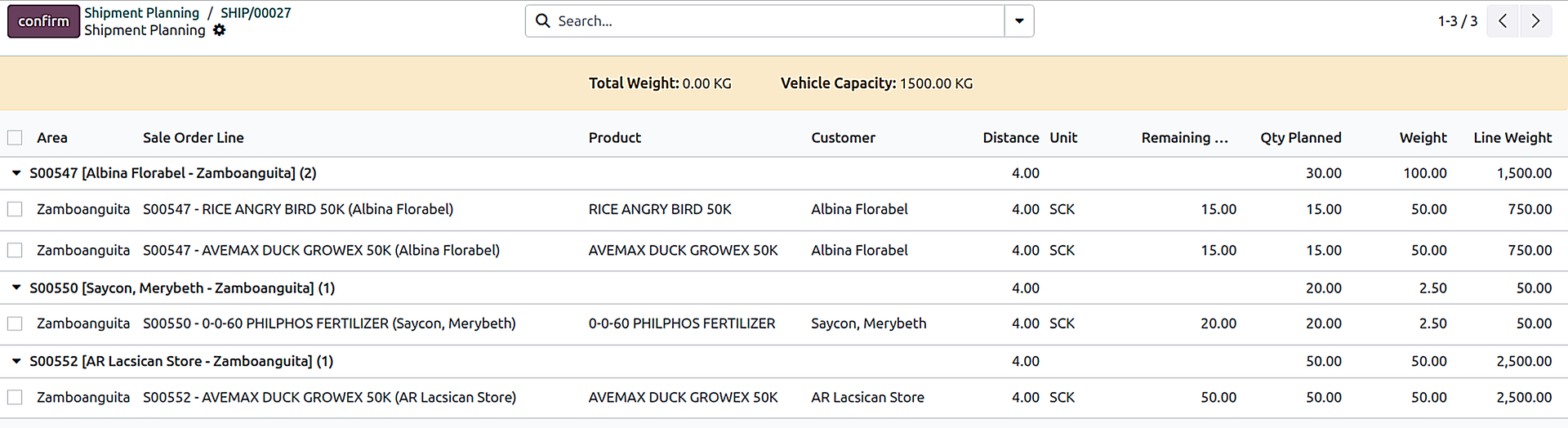
Add Lines (grouped)
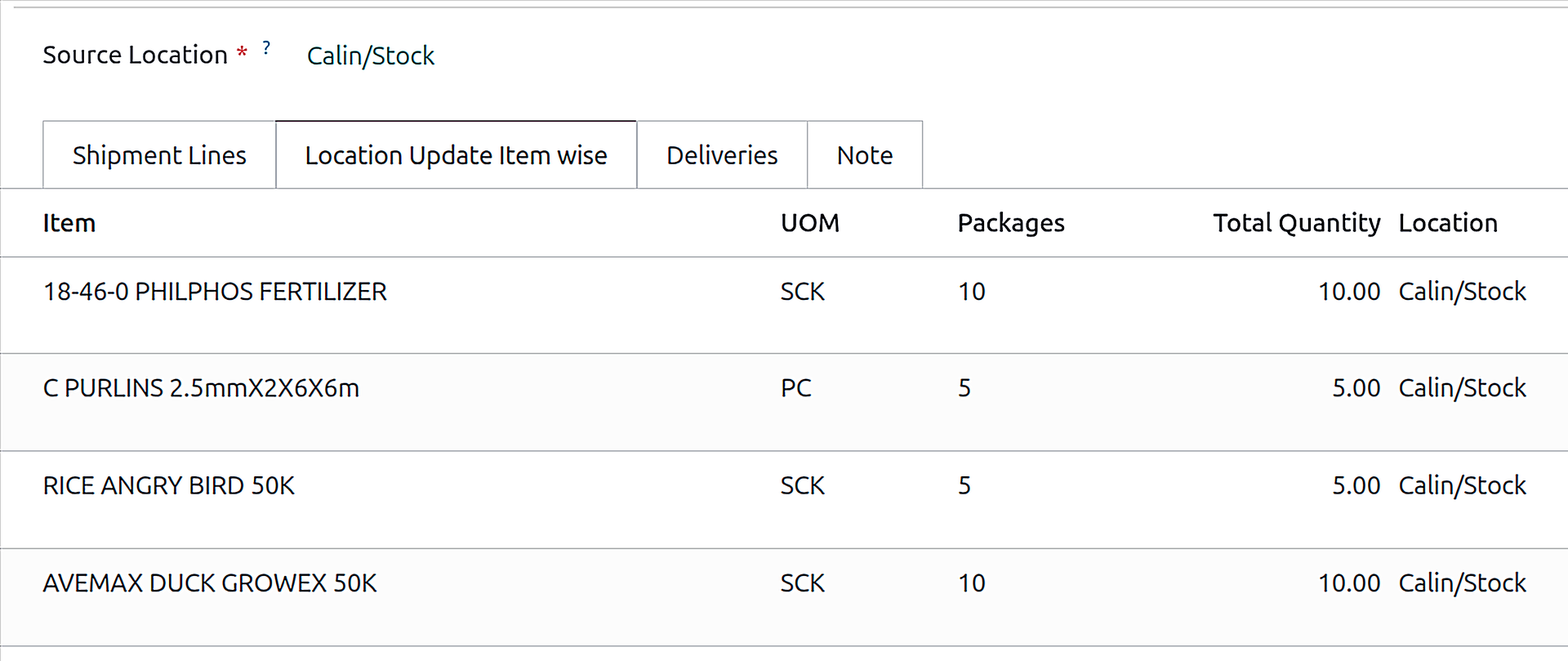
Location Update (Item-wise)
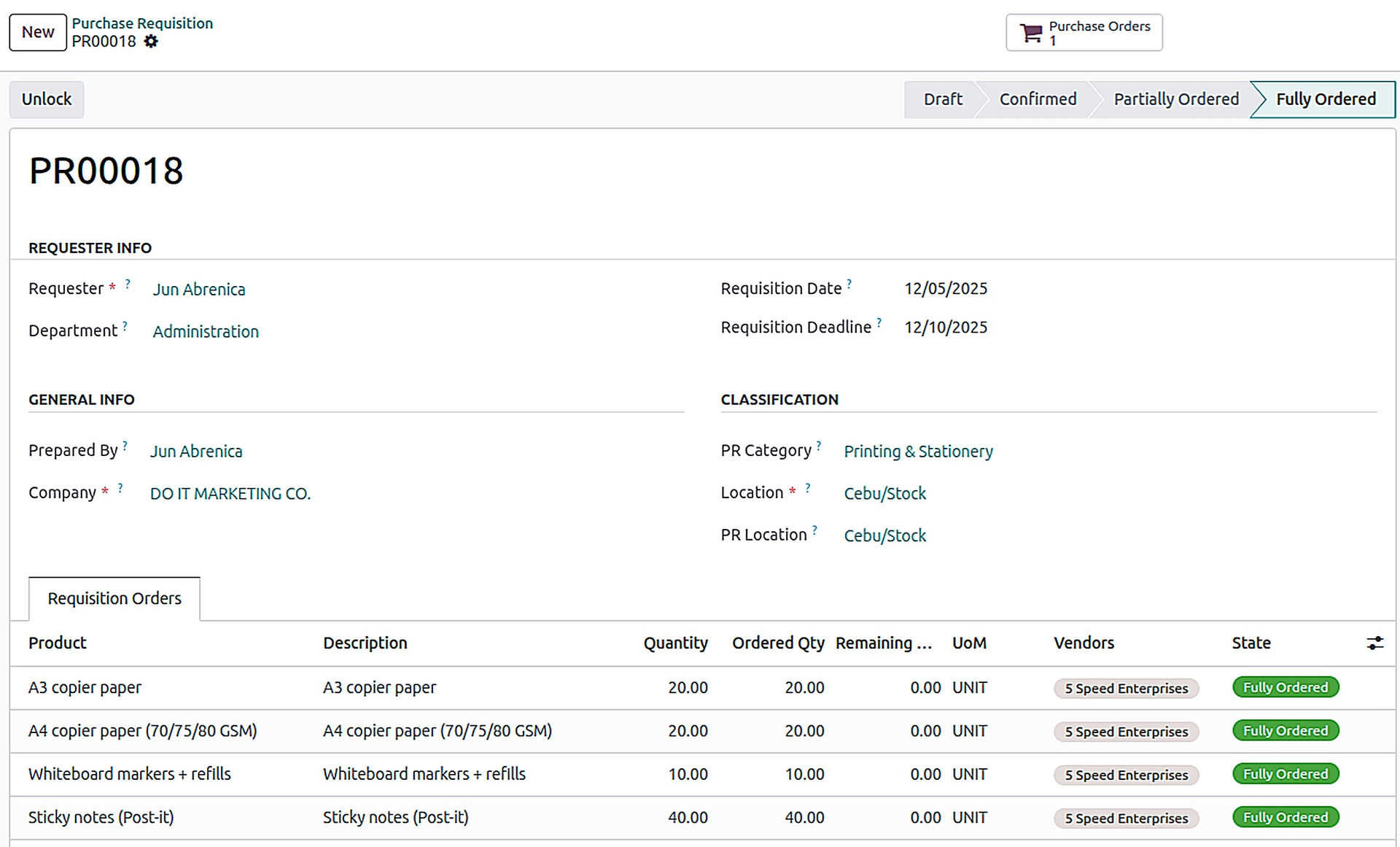
Purchase Requisitions
Streamline procurement with structured requisition workflows.
A complete PR-to-PO workflow built for real procurement teams. Portal users can raise Purchase Requisitions by navigating to the purchase requisition menu, approvals keep spend controlled, and the procurement team can create Purchase Orders efficiently—either from a single PR or by combining multiple PRs into one PO for the same vendor.
- Users can submit PRs with the required details and product lines.
- Department head/manager can confirm the purchase requisitions to keep spend controlled.
- Create a PO directly from one confirmed PR with minimal effort.
- Merge multiple PRs into one PO for the same vendor to reduce repetitive work.
- Track PR lifecycle from request → confirmation → ordering → fulfillment with clear visibility.